WordPress vs Statamic for Membership Websites

We're back 10 years ago, and we were building a lot with WordPress, but a lot has changed since then with new tools coming around. Now we build nearly exclusively with Statamic and Laravel, and there are a few reasons why that works perfectly for membership websites.
I've sat in too many meetings where a Head of Membership has been handed a WordPress site by a previous agency, told it would "do everything", and then experienced it getting slower and more unreliable due to plugin updates. Only this last week, we came across a project where a plugin was creating millions of rows in a database, causing the website to get slower and slower.
This piece is for the non-technical decision-maker. The CEO, the membership director, the product owner who's been told they need to "make a CMS decision" and would quite like to make a good one.
Key Takeaways
WordPress powers around 43% of the web (W3Techs, 2025), but that scale is the source of its biggest weakness for membership organisations: it's the most-attacked CMS on the internet.
WordPress membership sites typically rely on stacking plugins (MemberPress, WooCommerce, LearnDash). Each one is a third-party dependency you don't control.
Statamic is built on Laravel, the same framework we use for bespoke community platforms, so when you outgrow the CMS you don't have to start over.
For membership organisations with 5,000+ members, the real cost isn't the licence fee, it's staff hours lost to plugin conflicts and admin friction.
What membership organisations actually need from a CMS
Before we compare anything, it's worth naming what a membership website really has to do.
It needs to handle joining and renewals without breaking. It needs to gate content by tier or role. It needs to integrate with whatever CRM, finance system, or events tool you already use. It needs to give your team a sensible way to publish news, resources, and member-only updates without phoning the developer every Tuesday.
Increasingly, it needs to host community features, forums, member directories, course content and event sign-ups.
The question isn't which CMS is "better" in the abstract.
It's which one gives your team the least friction over the next five to ten years.
According to Marketing General's 2024 benchmarking report, only 13% of associations feel their value proposition is "very compelling" to members. Your platform is part of that proposition. If joining feels janky, the value feels janky.
WordPress: the familiar option, with familiar problems
WordPress is the default. It runs roughly 43% of all websites globally, according to W3Techs. Your team has probably used it. Your trustees have probably heard of it. There's comfort in that.
For membership functionality, WordPress relies on a stack of plugins. MemberPress or Paid Memberships Pro for access control. WooCommerce for payments. LearnDash or LifterLMS for courses. BuddyBoss for community. Each one is made by a different company, on a different release schedule, with a different support team.
Where WordPress genuinely shines
If your membership is small (under a couple of thousand members), your needs are standard, and you're happy to live within the constraints of off-the-shelf plugins, WordPress can be a perfectly reasonable choice.
Where it starts to hurt
Sucuri's annual website threat report consistently shows WordPress as the most-compromised CMS, largely because of outdated plugins. For a membership site holding personal data and payment details, that's a meaningful operational risk.
The other quiet cost is plugin sprawl. Every plugin is a dependency. Every dependency is something that can break, charge you more next year, or get abandoned by its developer.

Statamic: the calmer option for content-led membership sites
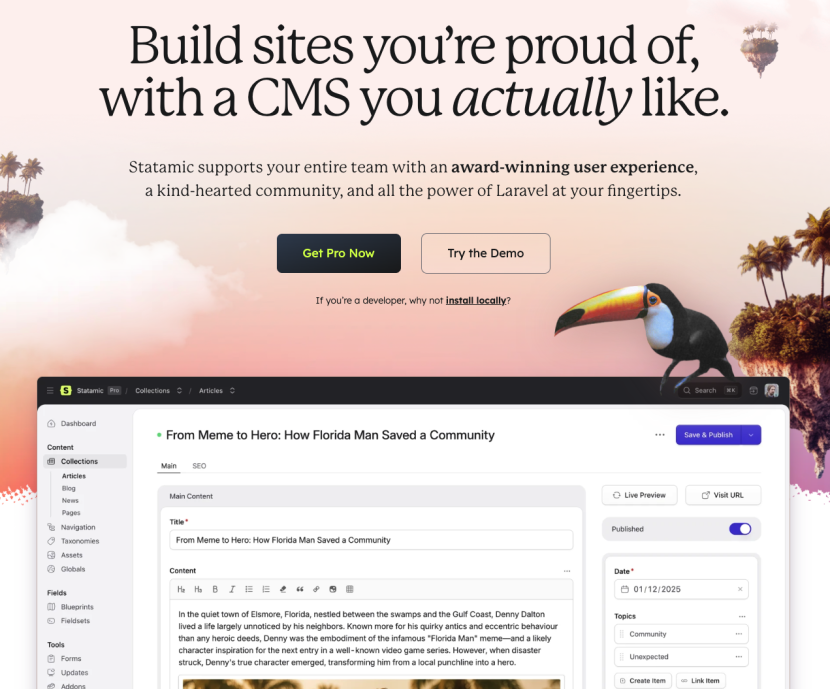
Statamic takes a different approach. It's built on Laravel, stores content in flat files by default (no database required for content), and treats developers and editors as equally important users.
We're a Certified Statamic Partner Agency, so I'll declare the bias up front. But the reasons we picked it are the same reasons it suits membership organisations.
It's Laravel underneath, anything bespoke (a member directory, a CPD tracker, a Stripe Connect billing flow) can be built into the same application rather than bolted on as a plugin.
For the editors, the control panel is genuinely lovely to use. Field types are flexible. Drafts and previews work properly. Folks who've been wrestling with Gutenberg for years tend to relax visibly when they see it.
One platform, not fifteen plugins
The thing I keep coming back to is consolidation.
With Statamic plus Laravel, your CMS, your member portal, your billing logic, and your custom features all live in one codebase. One thing to host. One thing to back up. One team that understands the whole picture.
Cost, security, and member experience
Cost. WordPress core is free. Statamic Pro is around $275 per site per year. But the licence is rarely the real cost. Add up your WordPress plugins (MemberPress alone is around $359/year, LearnDash around $199/year, plus security and backup tools), and you're often spending more on WordPress before any development happens.
Member experience. This one's harder to quantify. But Higher Logic's research found 88% of people feel access to a well-built online community improves their member experience. The platform you choose either makes that easy or it doesn't.
Future flexibility. When (not if) you need something custom, a Statamic site built on Laravel can grow into a full web application without a rebuild. WordPress tends to require a rip-and-replace when needs outgrow the plugin world.
Ready to start on your project?
We have been developing websites for over a decade. Our team of developers love what they do, and strive to ensure they leave the internet in a better place than they found it.
When Statamic (and Laravel) makes more sense
Pick Statamic when:
You have 5,000+ members and the cost of admin friction is real.
Your membership has tiers, gated content, or any custom logic that doesn't map cleanly to a plugin.
You care about page speed, sustainability, and not paying for plugin licences forever.
You want a foundation you can extend into a full community platform, LMS, or member app later.
You'd rather your team focused on members than on plugin compatibility notes.
63% of association professionals told ASAE they believe organisations that don't digitally transform now won't survive long-term. The platform decision is part of that. Pick the one that gets out of your way.
FAQ
Is Statamic harder to use than WordPress for non-technical editors?
No. Most editors find Statamic's control panel cleaner and more predictable than the WordPress block editor. The learning curve is shorter for content publishing, though the wider ecosystem of WordPress tutorials is larger.
Can I migrate my existing WordPress membership site to Statamic without losing members?
Yes. Member data, content, and URLs can all be migrated across. The two trickiest pieces are usually password hashes (members may need to reset on first login) and any plugin-specific data that needs remapping to a new structure.
How much does a Statamic membership website cost to build?
For membership organisations, our typical engagements run from £25,000 to £150,000 depending on scope. The Statamic licence itself is around $275 per site per year. The build cost reflects the custom membership logic, integrations, and design, not the CMS.
Will I be locked into one agency if I pick Statamic?
No. Statamic is built on Laravel, the most widely-used PHP framework in the world, so any competent Laravel agency or developer can pick up the work. The talent pool is smaller than WordPress but consistently high quality.
What about SEO? Does Statamic match WordPress on search?
Yes, and often it does better. Statamic sites are typically faster out of the box because of flat-file content delivery, and Core Web Vitals are a ranking factor. SEO fundamentals (metadata, schema, sitemaps) are well supported in both platforms.
Can Statamic handle 50,000+ members?
Yes. For larger memberships we typically pair Statamic for content with Laravel for the member-facing application, which scales comfortably to hundreds of thousands of users with the right hosting setup.
Thinking about your next membership website?
If you're weighing up Statamic, WordPress, or something custom for your next membership website, we'd love to chat it through with you.
Get in touch and we'll set up a call.
More Articles

The Hidden Cost of Poor Member Data
I've sat with enough membership teams to know that data hygiene across the industry is a real issue.

Why Statamic for Membership Platform
Why Statamic works brilliantly as a membership platform for large organisations. Flexible, secure, and built on Laravel.
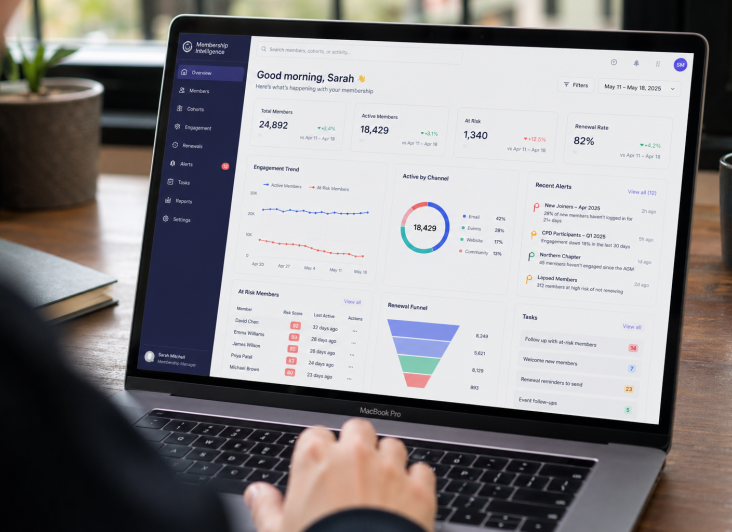
What Should a Membership Dashboard Include?
Why do most membership platforms still treat engagement data as something you review in a quarterly report, rather than something the system itself is watching in real time?