How Much Does a Membership Website Cost?
A membership website costs anywhere from £25,000 to £250,000. Where your project lands in that range depends almost entirely on how much complexity is involved.
If you've typed "how much does a membership website cost" into a search bar, you've probably found plenty of ranges and very few explanations of what sits behind them.
Key takeaways
Membership websites cost between £25,000 and £250,000, and complexity is the biggest single factor in where a project lands.
Integrations with your CRM, payment provider and existing systems usually move the price more than design does.
Hosting, security updates and support continue after launch, so a budget that stops at go-live is incomplete.
A short discovery phase before the build turns a broad range into a quote you can take to your board.
What drives membership website cost
Two membership websites can look almost identical on the homepage and sit at opposite ends of the price range.
The difference is usually underneath the design with what the platform has to do.
The factors that move the number most are these:
Integrations. Connecting to a CRM, finance system, events tool or learning platform. Every connection needs to be designed, built and tested.
Membership rules. How many tiers you have, how renewals work, whether you offer group or corporate memberships, and who can see what.
Payments. One-off fees, direct debits, recurring subscriptions, discounts and grace periods all add logic.
Data migration. Moving years of member records out of a legacy system cleanly takes real care.
Member features. Directories, forums, CPD tracking, gated content, event booking.
Accessibility and design. A brand-aligned, accessible interface built for every member, not only the confident ones.
A professional body with a decade of data in an old CRM is starting from a very different place than a new community with a spreadsheet and a mailing list.
This is also where custom website cost differs from an off-the-shelf tool. With a bespoke build on Laravel, you are paying for software shaped around your members and your operations, and you own it.
You can see how we approach these projects on our membership websites page.
Typical cost ranges by project size/complexity
It helps to think about the £25,000 to £250,000 range in terms of how much the platform has to carry, rather than how many pages it has.
Towards the lower end
Projects nearer £25,000 tend to have a clear, contained scope. A small number of membership tiers, straightforward payments, gated content and a member account area, with only light integration into other systems.
The organisation often knows exactly what it needs, and the data coming across is reasonably tidy.
In the middle
As the scope grows, so does the membership platform cost. This is where organisations start connecting the website to a CRM, adding event booking or CPD records, and replacing manual admin with automated renewals and reminders.
Most of the extra cost here is integration work and the business logic that sits around it.
Towards the upper end
Projects approaching £250,000 are usually doing a lot at once. Replacing several legacy systems with one platform, migrating large volumes of member data, building community features, and supporting complex rules across many member types.
At this level the website is effectively the operational heart of the organisation.
Not every organisation needs a custom build. For smaller or newer communities still testing their model, an off-the-shelf tool is often the better place to start, and I've written about when you should build your membership platform versus when renting makes more sense. Custom development earns its cost when the platform is central to the value you promise members.
Ongoing costs (hosting, support, care plans)
A membership website handles personal data and payments, so it needs looking after for as long as it's live. Three ongoing costs are worth planning for from day one.
Hosting
Your platform needs somewhere to run. The cost depends on traffic, how much background work the site does (renewal runs, email sends, CRM syncs), and the level of reliability you need. A site with predictable, steady traffic needs less than one handling thousands of renewals in the same week.
Third-party services
Payments, email delivery, search and analytics are often provided by specialist services with their own fees. Payment providers such as Stripe publish their pricing openly, and those fees scale with the money flowing through your platform rather than with the build.
Support and care plans
Laravel ships a new major version every year, and the Laravel release notes set out how long each version receives bug fixes and security updates. Keeping your platform current is a regular job, not a one-off.
A care and growth plan covers security updates, monitoring, fixes and ongoing improvements, so the platform keeps getting better after launch instead of slowly ageing.
We'd always rather a client budgets for this upfront than discovers it a year in.
How to budget for your project
The most useful budgeting question isn't "what's the cheapest option?"
It's "what will this platform need to return?"
Membership organisations live on renewals. Members who stay longer are worth more, and a platform that makes membership easier to use and easier to value can pay for itself through retention. I've covered the commercial side of this in more detail in how membership websites can increase your bottom line.
Perceived value is where many organisations struggle. In Marketing General's 2024 benchmarking report, only 13% of associations felt their value proposition was "very compelling". A better digital experience is one of the clearest ways to close that gap.
With that in mind, a few practical steps help:
Start with outcomes. Fewer manual renewals, better data, higher engagement. Write down what success looks like before you price features.
Separate must-haves from nice-to-haves. A phased build lets you launch the essentials and add the rest once members are using the platform.
Include the running costs. Hosting, third-party services and a care plan belong in the same budget as the build.
Talk to your finance team early. Depending on your circumstances, you may be able to treat some of the spend as a capital investment, which is worth exploring in can I capitalise website development costs?
If you're earlier in the process, five things to know before starting a membership website is a good companion to this section.
A realistic budget is one that still makes sense two or three years after launch, not only on the day you sign.

Get an accurate quote
The quickest way to get one is to come to the conversation with a clear picture of where you are today. That means roughly how many members you have and in which tiers, which systems you currently use and which you want to keep, where staff time disappears into manual admin, and what members complain about most.
You don't need a polished specification. Rough notes are often more useful, because they show what actually matters to you.
From there, we work through our process in four stages: Discover, Architecture, Design and Develop. Discover is where a broad range becomes a real number. We map your members, your operations and your integrations, so the quote reflects the platform you need rather than a guess.
That also gives you something solid to take to your CEO or board. A figure tied to specific outcomes is far easier to approve than a number on its own.
The honest answer to how much does a membership website cost is the one built around your members, your systems and your plans, so request a quote and we'll work it out with you.
Ready to start on your project?
We have been developing websites for over a decade. Our team of developers love what they do, and strive to ensure they leave the internet in a better place than they found it.
More Articles

Laravel vs Django: Which Framework Should You Choose?
Comparing Laravel and Django? See how they stack up on performance, ecosystem and hiring before you choose.

Why change Laravel Agency
Steadfast Collective is a Laravel agency in the UK that designs, builds and scales web platforms for membership organisations, charities and brands.
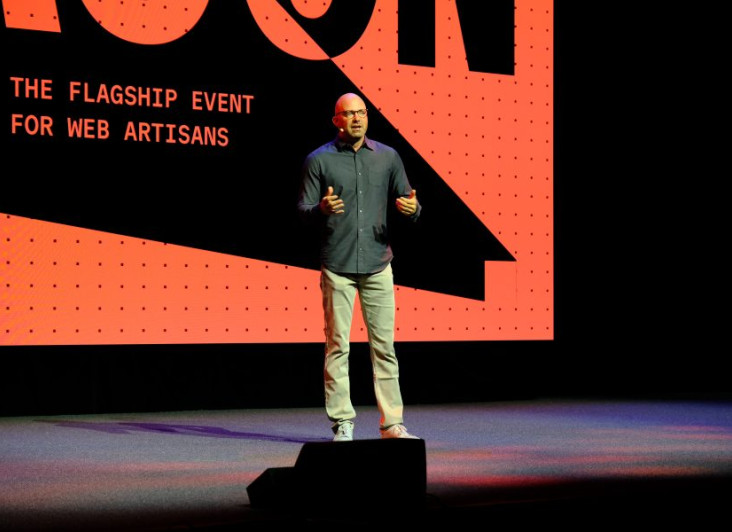
Laravel Announcements from Laracon US 2026
The headline releases centred on tighter tooling, better performance defaults, and first-class support for AI, all shipped in a way that protects existing projects.